 MattKC
b0bbc31002
MattKC
b0bbc31002
* optimizations

* Update menu_game.h

* try new code

* use cached EGLImages

* try drm cache on pi

* nani?

* huh?

* require opengl egl

* find EGL

* find EGL separately

* logging

* add support for versions of ffmpeg less than 6.0

* disable drm cache for now

* Update ui_sdl.c

* use old code for now

* disable avcc hdr for now

* restore error message

* try disabling format modifiers?

* tell me what the layer is

* pi decoder actually produces frames in yuv420p

* print more debug info

* try this

* switch to faster decode path

* switch to old code

* Update ui_sdl.c

* add more timing profiling

* more printing

* enable some optimizations

* draw menus when not in game mode

* call render present

* Update ui_sdl.c

* Update ui_sdl.c

* remove unused code

* Update CMakeLists.txt

* incorporate direct DRM code

* Update CMakeLists.txt

* free drm context and test old decoding code

* move SDL event loop to separate thread so controls are not limited by display rate

* add a wait to reduce CPU thrashing

* fix double free

* separate video into recv and consume threads

* Update ui_sdl_drm.c

* Update ui_sdl_drm.c

* Update gamepad.c

* further optimizations

* anti-alias buttons more

* fix some compiler errors

* only include DRM on linux

* fix windows compile issues

* fix includes

* Update CMakeLists.txt

* add htobe32 define for macOS

* Update video.c

* Update gamepad.c
Vanilla
This is a work-in-progress software clone of the Wii U gamepad. No warranty is provided and everything should be considered alpha at best.
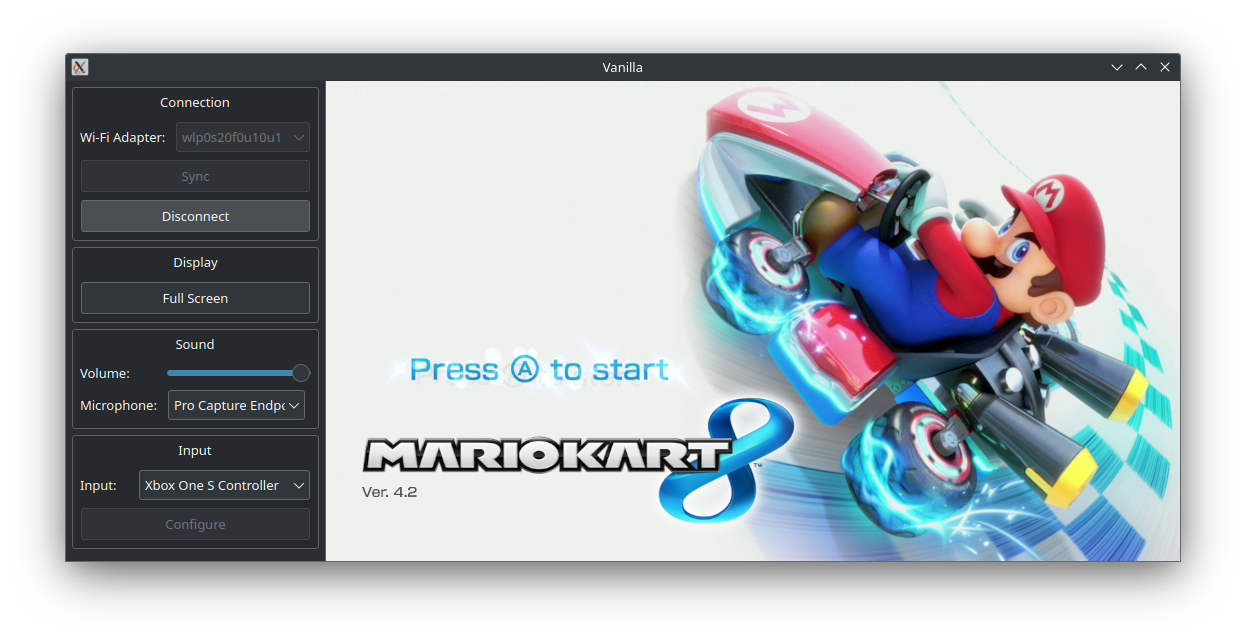
Usage/Installing
Official builds are provided for all supported platforms on the Releases page. Most users are recommended to use these.
Distro-specific packages
Vanilla is also available in the package managers of certain Linux distributions.
Arch (AUR)
An Arch User Repository (AUR) package called vanilla-wiiu-git is available for easy installation on Arch Linux and derivatives. For more information, see the AUR page: https://aur.archlinux.org/packages/vanilla-wiiu-git
What devices are supported?
- Steam Deck
- Linux (check Wi-Fi hardware compatibility)
- Nintendo Switch (requires Broadcom firmware patch or external Wi-Fi adapter)
- Android (currently frontend only)
- Windows (currently frontend only)
- Raspberry Pi (requires external Wi-Fi adapter)
- iOS - Coming soon
What Wi-Fi adapter should I use?
At a minimum, you will need an adapter that supports 802.11n 5GHz. Newer standards (e.g. 802.11ac) are backwards compatible and should work as long as they can run at 5GHz.
In practice, not all hardware/drivers appear to work at this time. Check the Wireless Compatibility page on the wiki to check if a card is confirmed working or not.
Compiling (Linux)
Vanilla currently requires the following dependencies:
- Debian/Ubuntu
apt install build-essential cmake libsdl2-dev libsdl2-image-dev libsdl2-ttf-dev libavformat-dev libavcodec-dev libavutil-dev libswscale-dev libnl-genl-3-dev libnl-route-3-dev libssl-dev libxml2-dev libnm-dev libpolkit-agent-1-dev - Fedora
dnf install libavcodec-free-devel libavutil-free-devel libavfilter-free-devel libnl3-devel SDL2-devel SDL2_image-devel SDL2_ttf-devel openssl-devel make automake gcc gcc-c++ kernel-devel cmake libxml2-devel NetworkManager-libnm-devel polkit-devel - Arch
pacman -S base-devel make cmake ffmpeg libnl sdl2 sdl2_image sdl2_ttf libxml2 libnm openssl polkit - Alpine/postmarketOS
apk add build-base cmake sdl2-dev sdl2_image-dev sdl2_ttf-dev ffmpeg-dev libnl3-dev libxml2-dev openssl-dev networkmanager-dev polkit-dev
The build process is otherwise normal for a CMake program:
git clone https://github.com/vanilla-wiiu/vanilla.git
cd vanilla
mkdir build && cd build
cmake ..
cmake --build . --parallel
Optionally, to install the program:
sudo cmake --install .